

Unless you've been hiding under a rock, you'll know that AI is now everywhere.
Music is no exception, and it's becoming more and more common for songs to be created using one of the many AI powered music creation platforms.
Whilst these services are groundbreaking, and technically limitless in what they can do, the results can be hit and miss. And the audio quality of the output is a common weak spot.
So, what can we, as creators/prompters do about this? How can we use what we're given and take it to the next level?
I covered, in a previous consciousness stream [Here], the advantages of using human controlled analogue mastering to creatively craft Suno tracks without the stems. This can yield surprisingly good results.
But, with the introduction of the stemming and even studio function on Suno (and other sites), today I'm going to take it a step further - mixing the individual stems output from Suno and lifting the lid on some of the processes that can elevate a track created by AI.
Suno handily gives us 10 stems and it's generally good at identifying which instruments belong on which stem. You can reliably get a good drum track, a clear lead vocal and a solid bass track. And, to be blunt, these three things are going to be doing a lot of the heavy lifting in most mixes.
Where it can fall down in terms of quality are things like: acoustic guitars, piano tracks, string lines and, of course, backing vocals. As a result, these are usually the areas which require the most attention.
I'm going to chat through 4 ways below of how creative mixing processes can make the AI nature of the track less obvious and improve the overall sonic quality using the track kindly provided by Vox called One Last Breath.
- The Vocal - de-verb, new processing, new reverb
- Strings and piano room sound design
- Guitar treatment
- Drum track transient design
Before I jump in, please feel free to take a listen to the before and after of the Suno output and then the mixed and mastered version.
One Last Breath
Suno output: One Last Breath (audio comparison player, not captured in the site snapshot)
MixGenie mix: One Last Breath (audio comparison player, not captured in the site snapshot)
So let's dive in to the technicals.
1. The Vocal
Well, this is the main event and it's going to involve three steps. The first step is to remove any reverb left in by the stemming process.
Why do this? The reverb usually contains unwanted artefacts from the stemming process. As a result, it's going to be degraded and sound cheap.
To remove this, I'm using one of my favourite tools "Lalal.ai" de-verb (yes I'm using AI to fix AI!).
Once I have that file, I'm going to use a scrubber to try and remove any super harsh frequencies and aliasing. In this case, I'm using Soothe 2 to get granular on the higher frequencies, which can be quite harsh and sound cheap.
After this, I'm treating it like any other vocal - it's running through the analogue Focusrite 430mkii vocal strip for EQ and compression, before coming back in and being sent to the legendary UAD Lex224 reverb with a vintage plate.
The results? See for yourself below. But the main thing is that we now control the amount of reverb and the processing. So bringing the vocal forward or back in the mix is possible without drowning things in the aliasing, cheap reverb that was in the stems originally.
Vocal Before + After
Suno vocal output (audio comparison player, not captured in the site snapshot)
MixGenie processed vocal (audio comparison player, not captured in the site snapshot)
Interested in a mix? Get in Touch Here
2. Strings (and piano/guitar sometimes)
One of the big things I find with string samples in AI stems is they often sound very close to us and dry. The solution, and one of the ways to reduce the computerised degraded feel, is to run them through some reverb, and attempt to place them "in the room" with you.
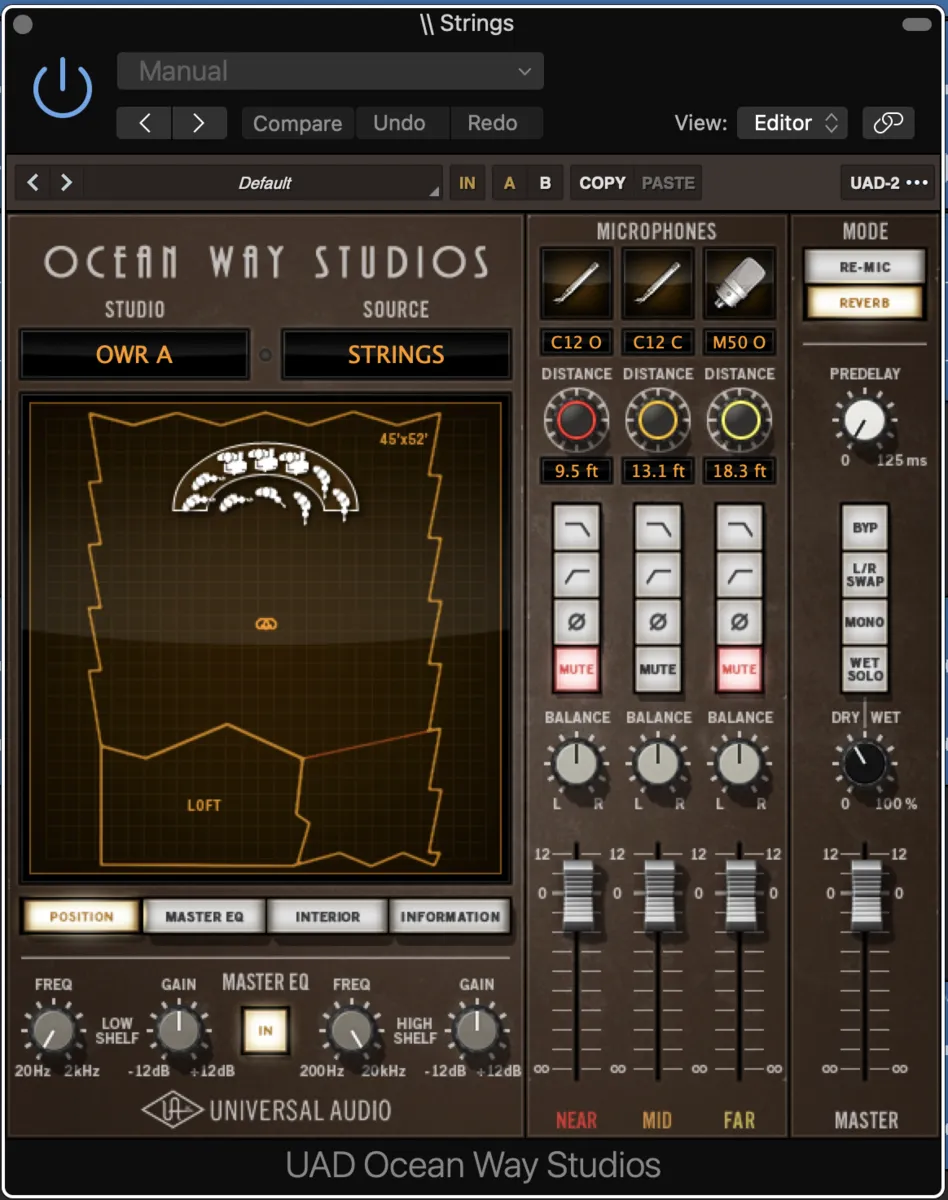
After doing a little EQ to take out some of the harsher frequencies, I have turned to the Ocean Way Studio plug-in from UAD. This rather genius plug-in recreates the room tone of the world famous Ocean Way Studios in California.
Using this, I can place our rather degraded sounding strings "in the studio" and choose which microphones, and at what distance, to 're-record' the sound. UAD call this re-mic'ing, I call it outrageously good!
3. Guitar treatment
As mentioned earlier, one of the more commonly degraded stems contain guitar tracks. This is usually because the guitar is further back in the mix and, as a result, there is less information for the AI to extract and make a stem.
In this case, our guitar has survived the stemming process quite well. But there is another problem - the lead guitar is on the same stem as the backing/rhythm guitars.
What I want to do is create a nice reverb for the lead guitar line, whilst not washing out the song with reverb from the backing line all the way through.
So, I have created a gated reverb send. In short, the reverb only activates when the level of the guitar track goes over a certain point. In this case, as the lead guitar line is a lot louder than the backing guitar, we are only going to get reverb when the lead guitar plays. You can hear this in the first few seconds of the song.
4. Drum transient design
If you're not technically minded, look away now!
The drums generally turn out pretty good on stems. However, there are often a lot of harsh frequencies, aggressive high frequency clicks, mixed in with some serious mushiness. The result? Drums that don't cut through, and don't have any impact - and hurt your ears at the same time. No fun at all.
To combat this, I'm going to do three main things. The first is an EQ - going through, finding wayward frequencies when they occur and removing them aggressively.
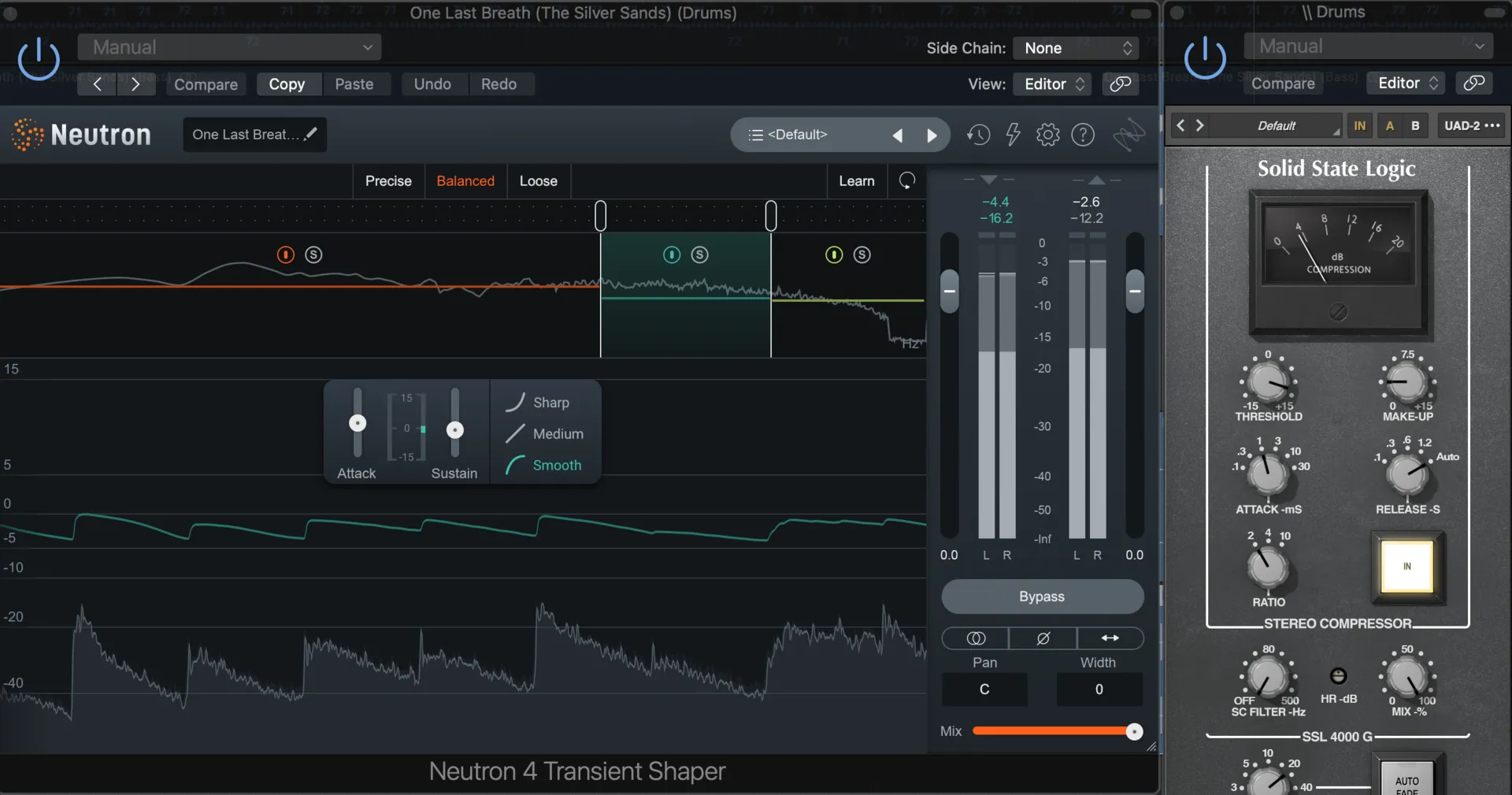
The second is using a transient designer, in this case from Izotope Neutron 4. This clever plug-in looks at when the big hits are in the stem. Then I can tweak them (and the areas between them) to adjust the sound. In this song, I've boosted the impact (where the transient hits) in the low end (for some gut punching kick), then I've reduced the stuff in between the hits in the higher frequencies (washy cymbals). This leaves us with some seriously pumping kick and snare. Thirdly, I've applied some bus compression as I would to any recorded drum session.
The Final Step
I've talked about this before but the last step is mastering. Glueing the track together using a mixture of compression, widening and a touch of dynamic EQ.
Hopefully this provides a little bit of insight into the things that can be done to get the most out of these AI tracks and stems. For me, as a mix engineer and AI creator, it provides unique and creative challenges trying to work the songs to be (and this will sound weird) how the AI intended your intentions to sound. In short, the AI is incredible, but in its present state it's still not quite a substitute for the human touch.